

In channels, conversations are shared across teams. As discussions evolve – ideas change, updates are made, or corrections are needed – messages should stay accurate and relevant for everyone following along.
Orta Chat allows you to edit or delete messages so channel discussions remain clear and reliable.
Edit a Message:
In channels in Orta, you can update a message to ensure everyone has the most accurate information without creating confusion and multiple follow-ups.
To edit a message:
- Hover over the message
- Select the Edit message icon
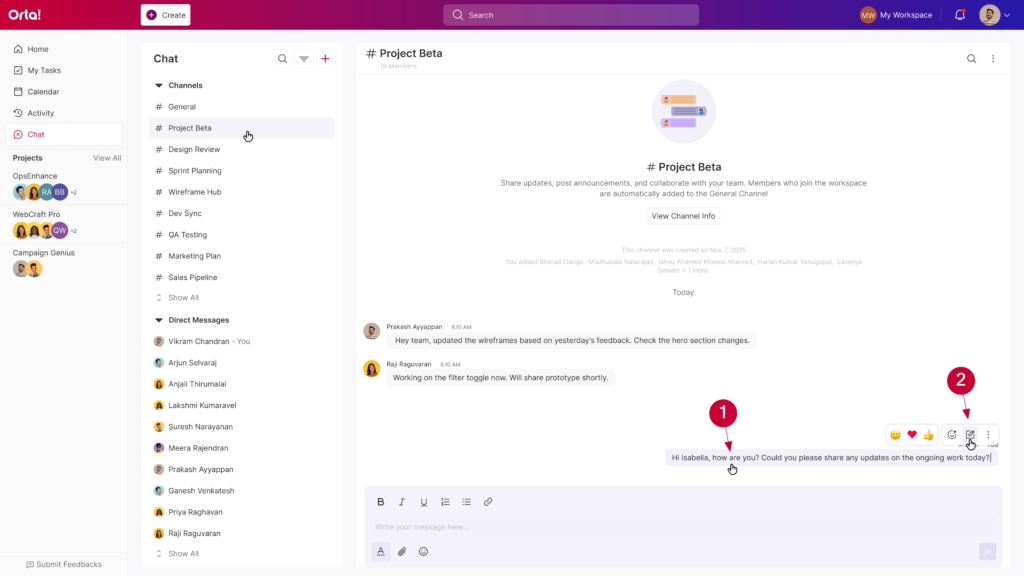
- Update the content as needed
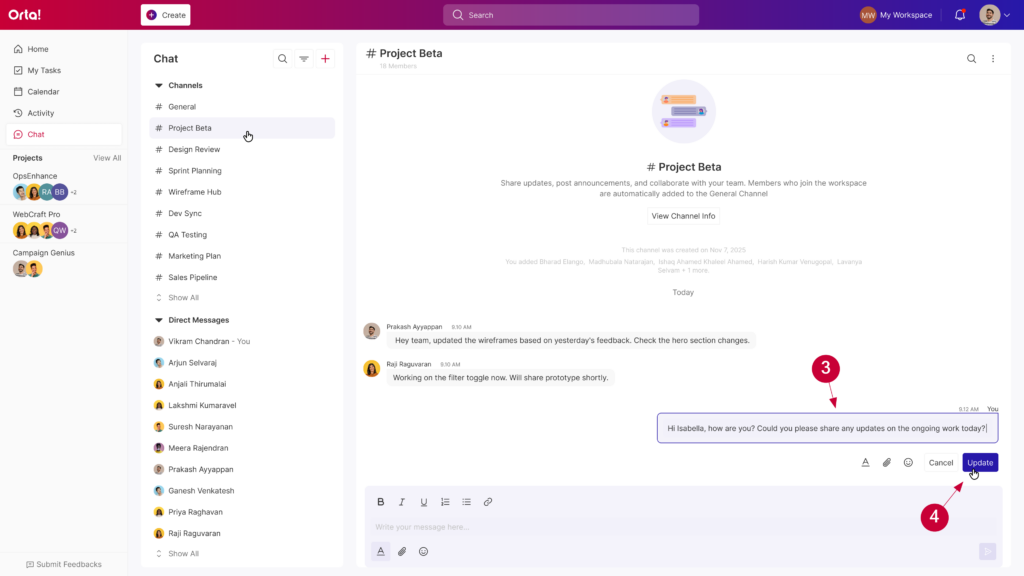
- Click Update to Save
The updated message will appear in the channel and will be marked as edited.
Delete a Message:
If a message is no longer relevant or was shared by mistake, you can remove them to keep the channel focused.
To delete a message:
- Hover over the message
- Click the More Actions icon
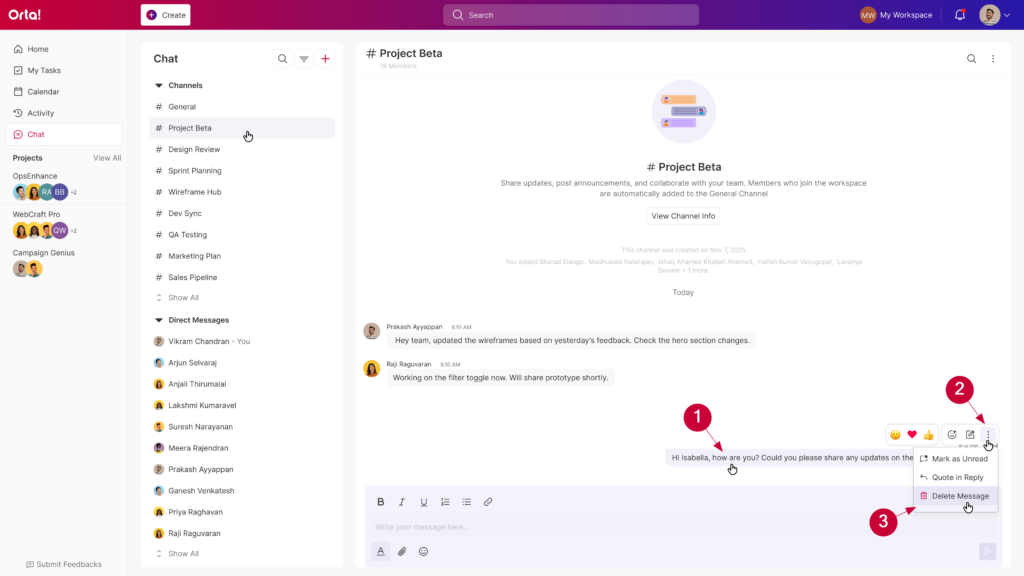
- Select Delete message
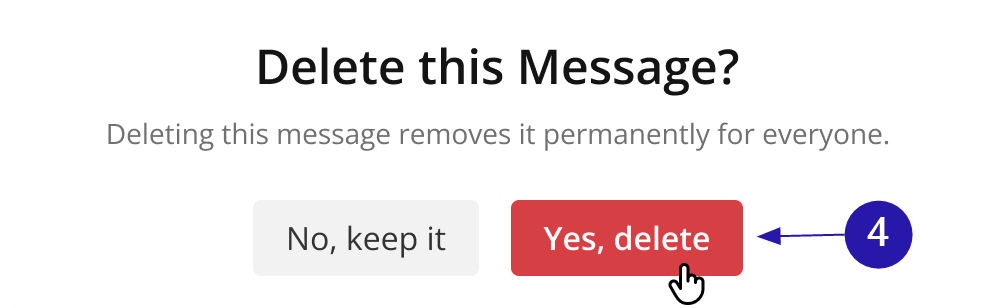
- Confirm the deletion
The message will be removed from the channel permanently for everyone.
Editing and deleting messages in Orta Channels helps keep conversations accurate, remove outdated updates, and ensure discussions stay useful for everyone involved.