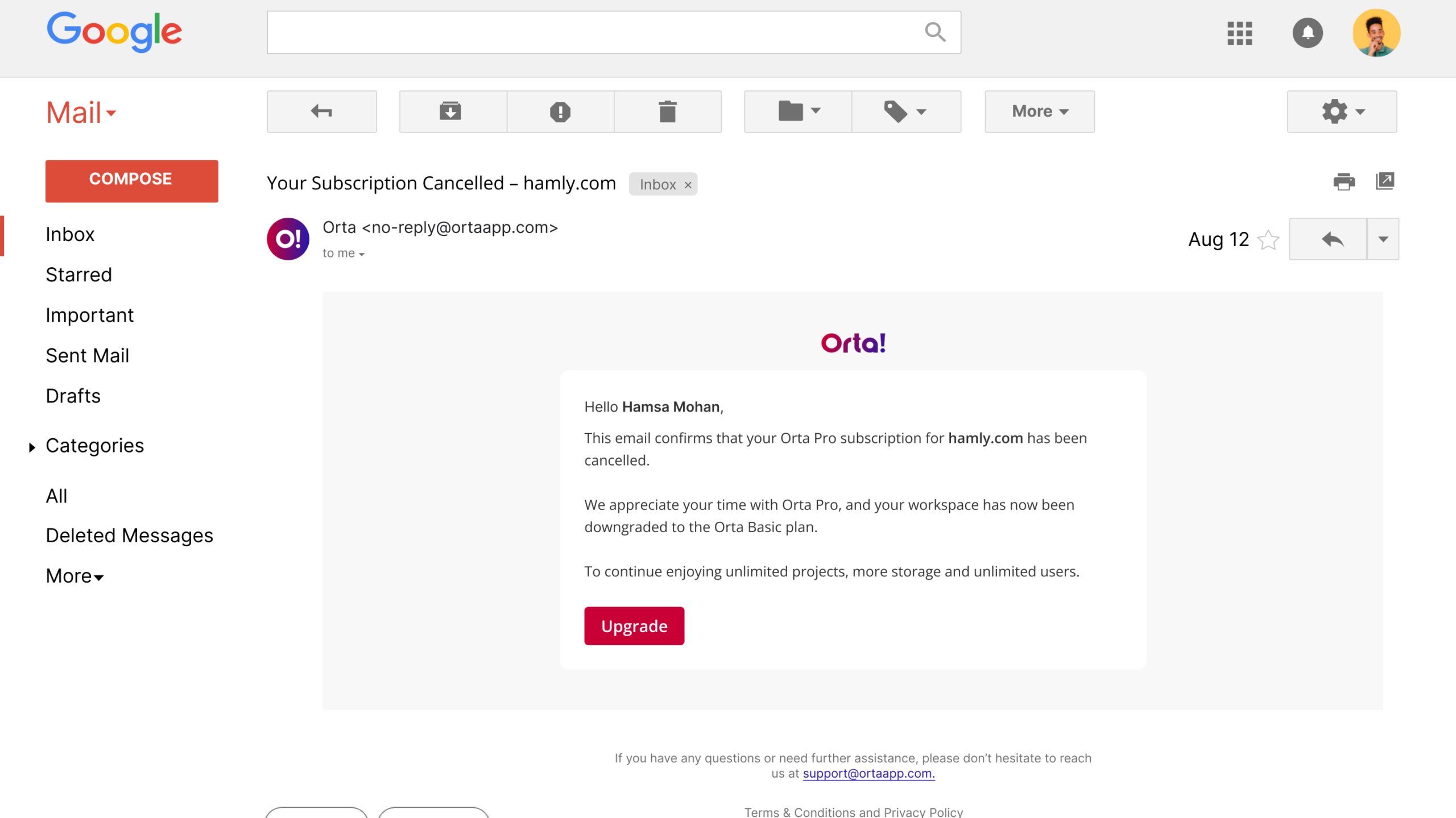

In Orta, subscription cancellation can be completed only when:
- The workspace is active.
- The workspace usage is within the Orta Basic plan limits.
Before cancelling your subscription, it is important to understand how Usage Limits and the Grace Period affect your workspace. This helps ensure you can make any required adjustments and successfully transition to the Orta Basic plan without interruption.
If your workspace is on a 60-day free trial, you’ll need to wait until the trial period ends before downgrading to the Orta Basic plan. During the 60-day free trial, cancelling or downgrading is not applicable.
To cancel a Pro plan and downgrade to Orta Basic, follow these steps:
- Select Billing menu from the Profile dropdown.
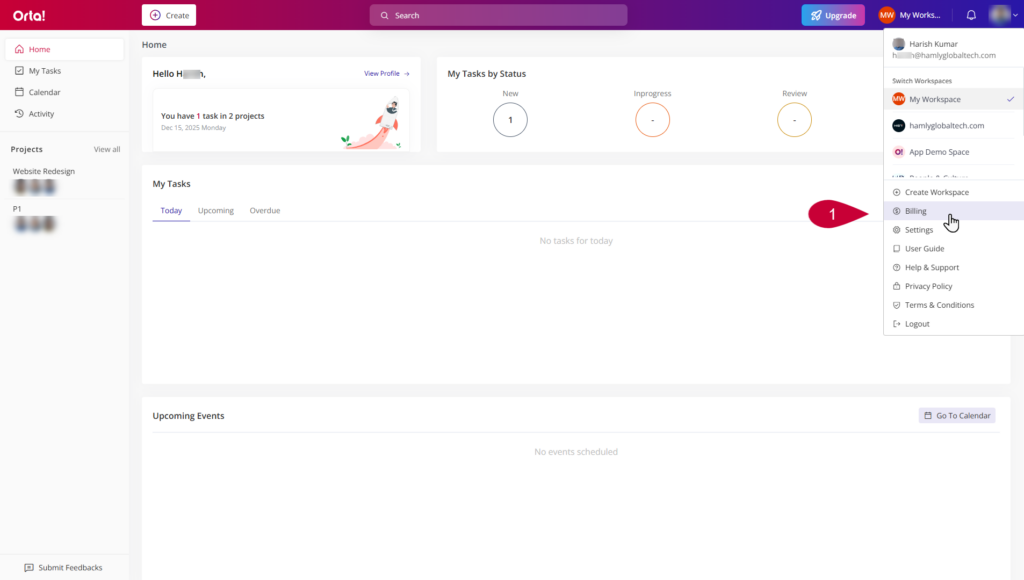
- On the Billing page, go to the Plan Details section.
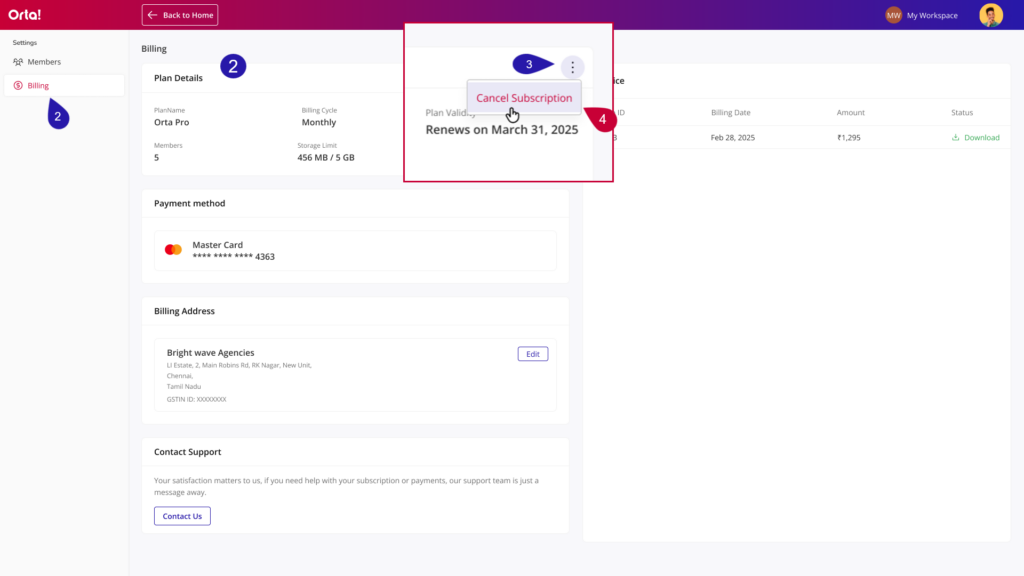
- Click More options on the Plan Details widget.
- Select Cancel Subscription.
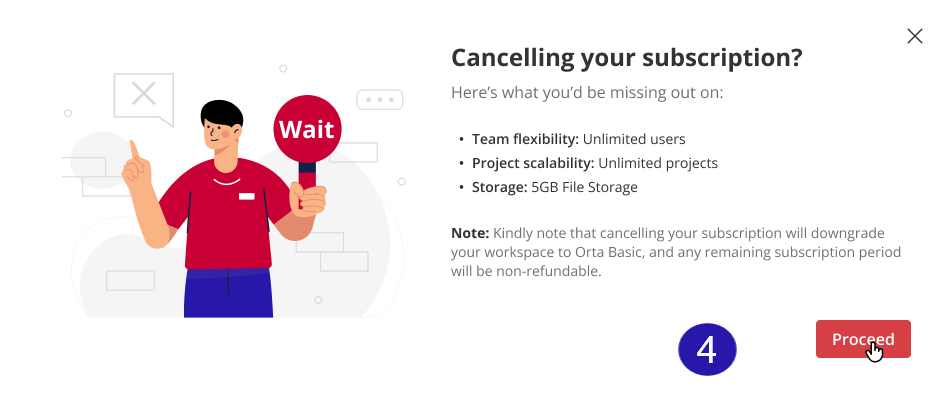
- Click Proceed in the Confirmation dialog that appears.
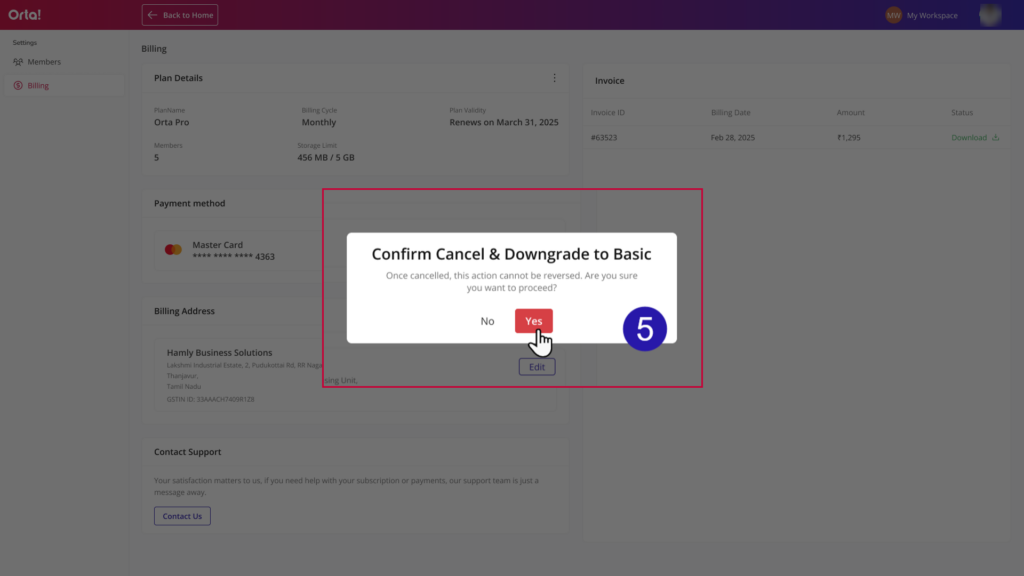
- Click Yes to confirm in the 2nd confirmation dialog that appears. (Note: Once cancelled, this action cannot be reversed.)
- The subscription will be cancelled, and the workspace will be downgraded to Orta Basic.
Post-Cancellation Feedback:
After cancelling the subscription, you are prompted to provide feedback to help us understand your experience and improve our future updates.
- Select a reason in the Feedback Dialog that appears after the cancellation process.
- It’s too expensive
- It no longer meets our needs
- It’s no longer required or was used for temporary work
- Other
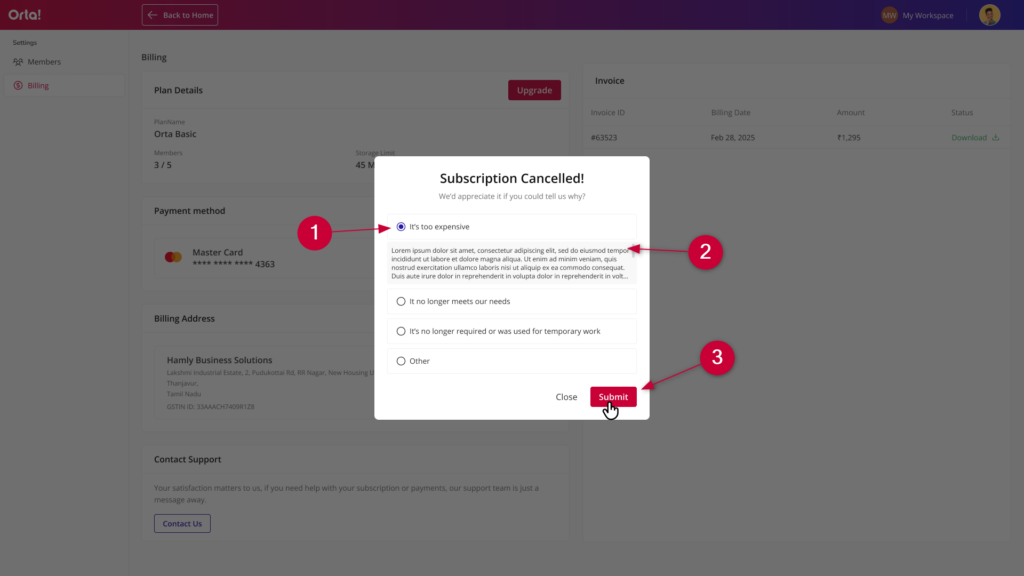
- Enter additional feedback in the text box if required.
- Click Submit to complete the process.
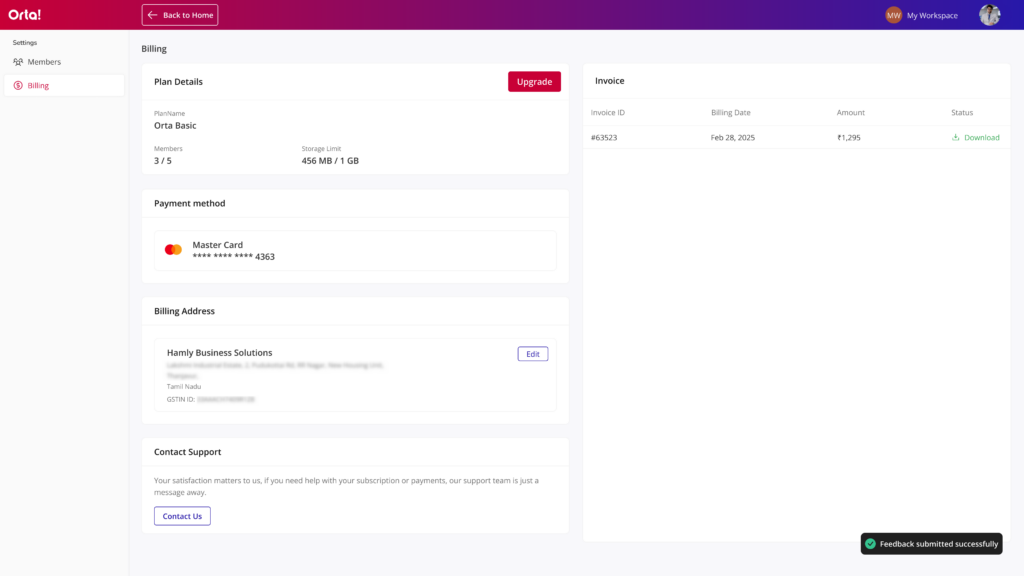
Once cancelled you will receive a confirmation toast message and an email.