

Whether you’re kicking off a new project or organizing ongoing work, creating a channel ensures the right people stay aligned from the start and it’s very quick and easy Orta!
Create a Channel:
Setting up a channel takes just a few steps in Orta:
- Click on Chat menu from the left navigation bar.
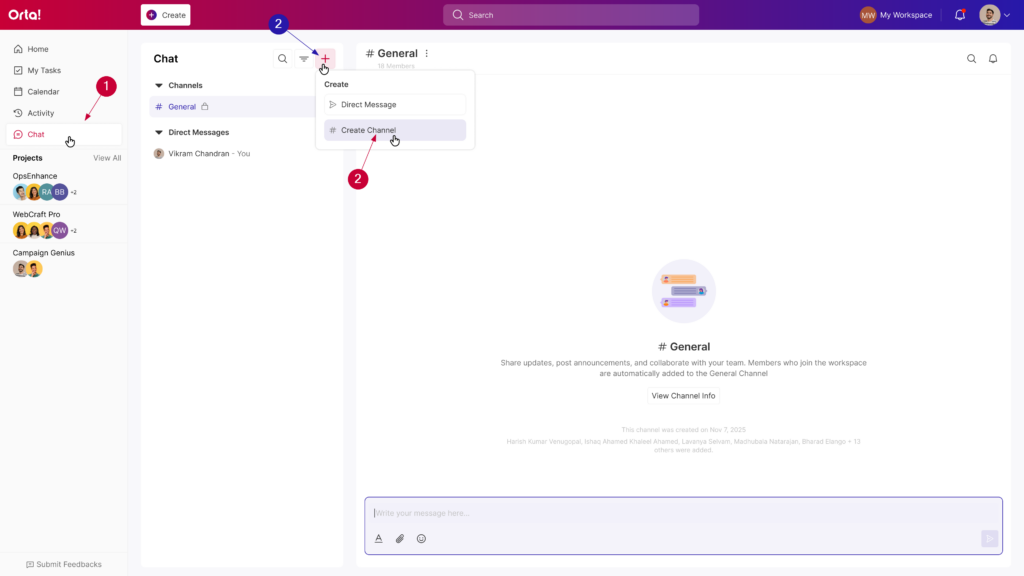
- Click the + (New Chat) button and select Create Channel.
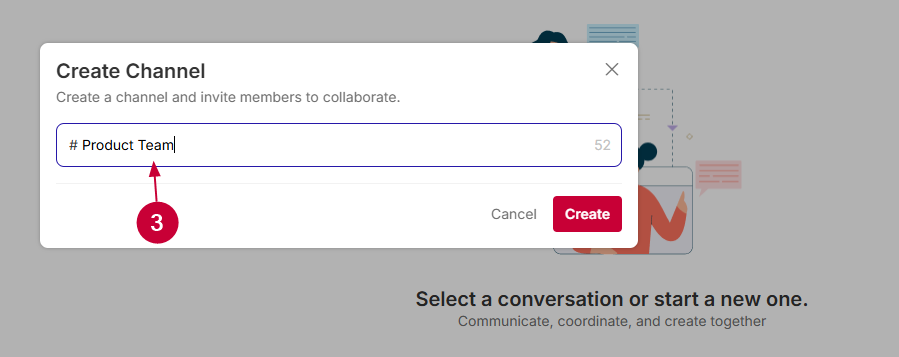
- In the Create Channel form:
- Enter a clear and relevant channel name.
- Click Create.
- The channel will be created successfully.
- In the Add Members form:
- Enter the name or email ID of the members you want to add to the channel.
- Click on the required member from the dropdown list.
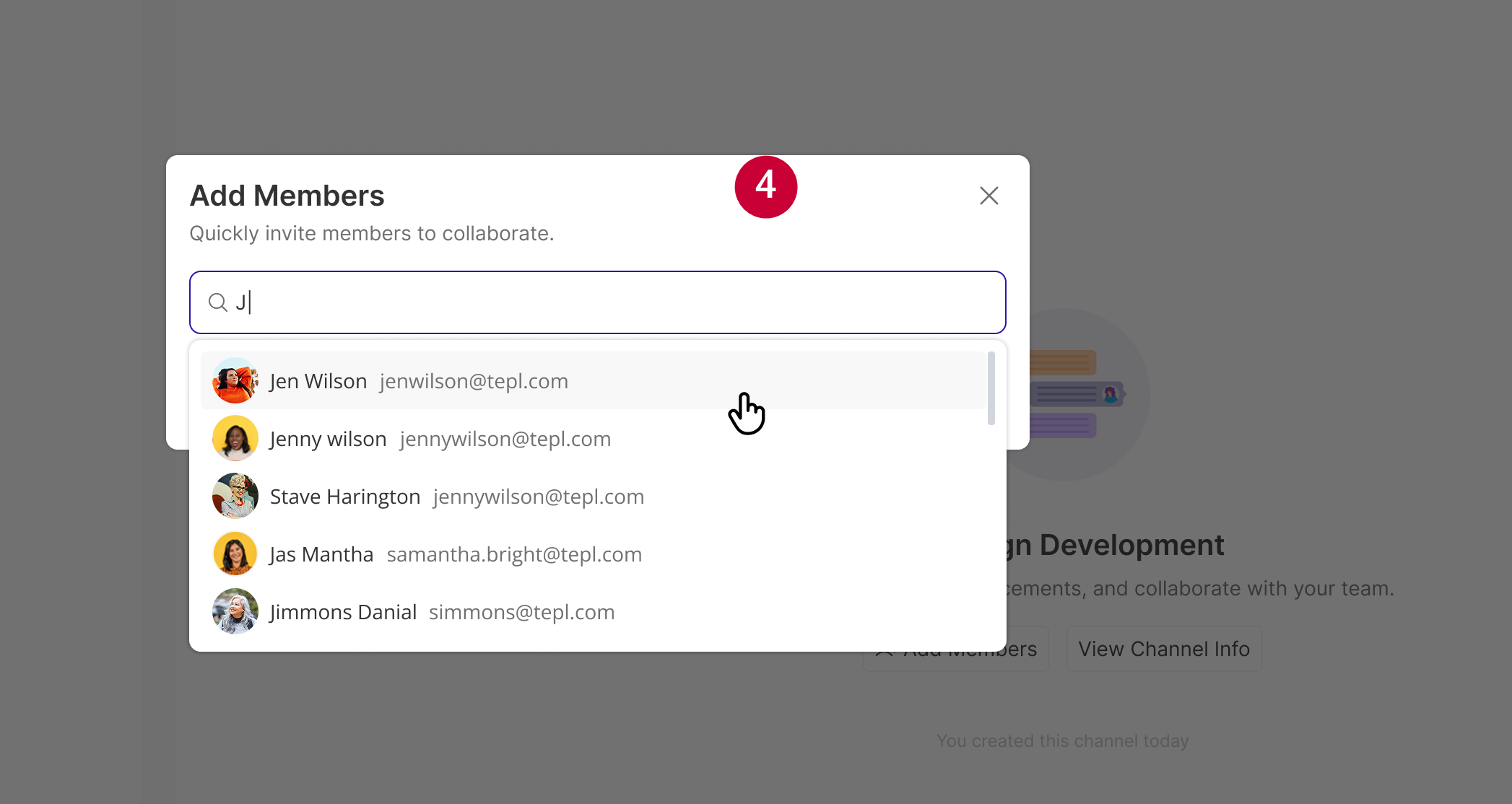
- Add all the required participants in the same way.
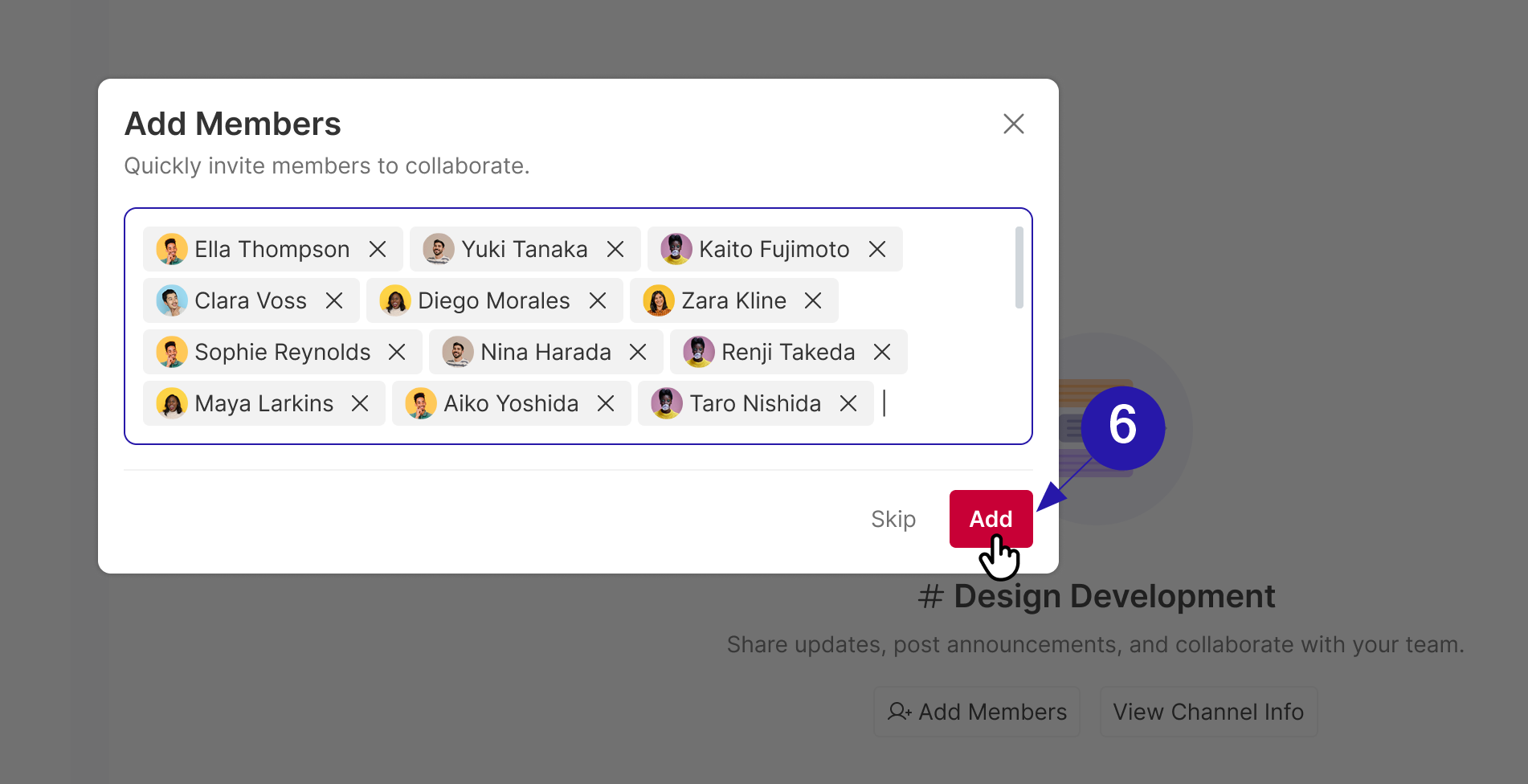
- Finally, click Add to complete the channel creation process.
Once created, the channel will appear in your chat list – ready for conversations, updates, and collaboration.
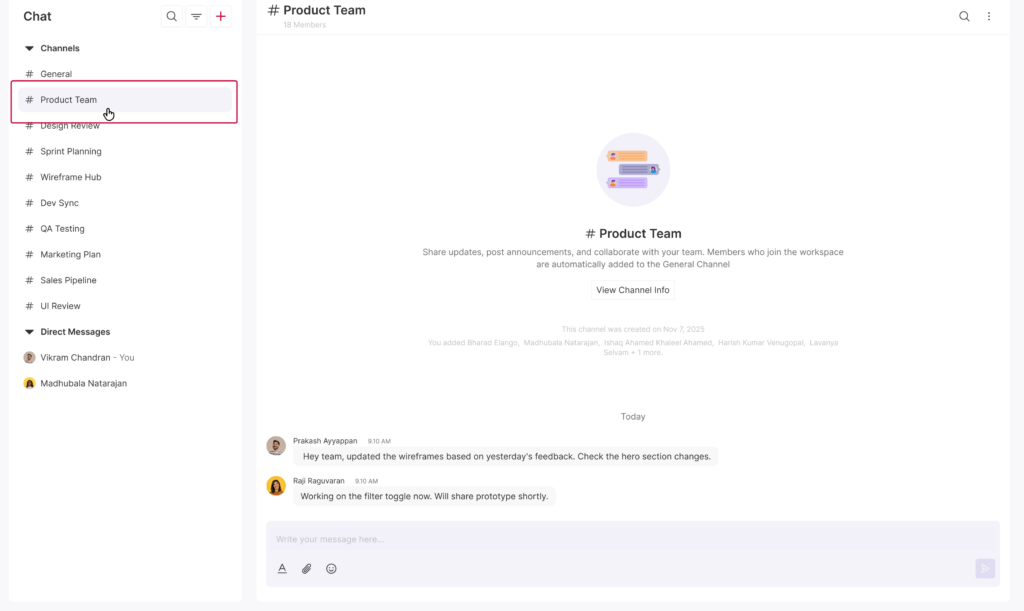
By starting with a well-structured channel, you create a single source of truth for your team – making communication clearer, faster, and more effective from day one.
After creating a channel, you can update or manage it anytime through the options menu in the channel header. Check