

Conversations evolve as ideas change, updates happen, or mistakes need correction. Orta Chat lets you easily edit or remove messages so discussions remain accurate and relevant for everyone in the conversation.
Edit a Message:
Sometimes you may need to correct a typo, clarify information, or update a message after sending it. Editing allows you to quickly modify your message without sending a new one.
To correct or update a message you sent:
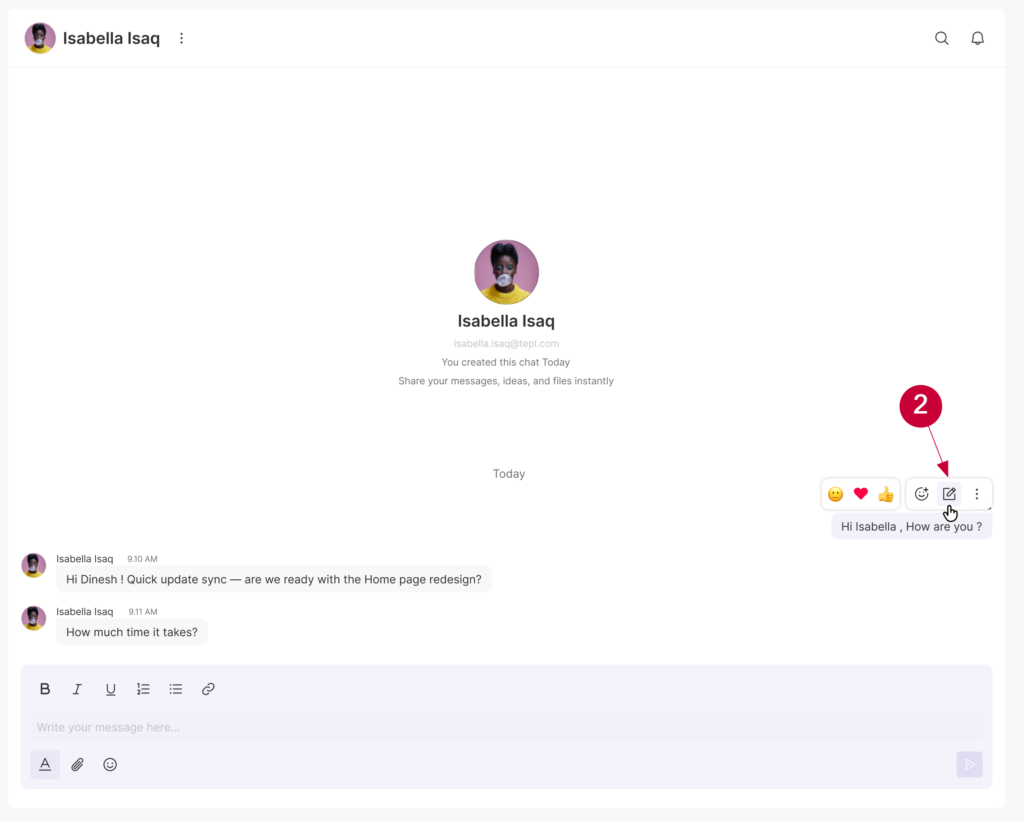
- Hover over your message.
- Select Edit Message icon.
- Edit the message content as you wish.
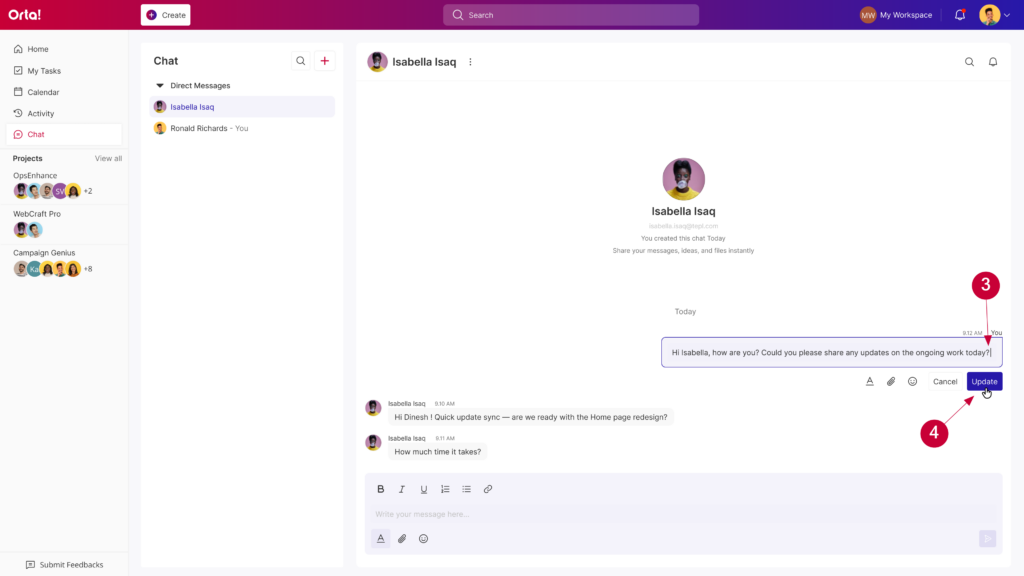
- Click Update to save the changes.
The updated message will appear in the conversation and will be shown as edited.
Delete a Message:
If a message is no longer relevant or was sent by mistake, you can remove it from the conversation to keep the discussion clean and focused.
- Hover over the message you want to remove.
- Click the More options icon.
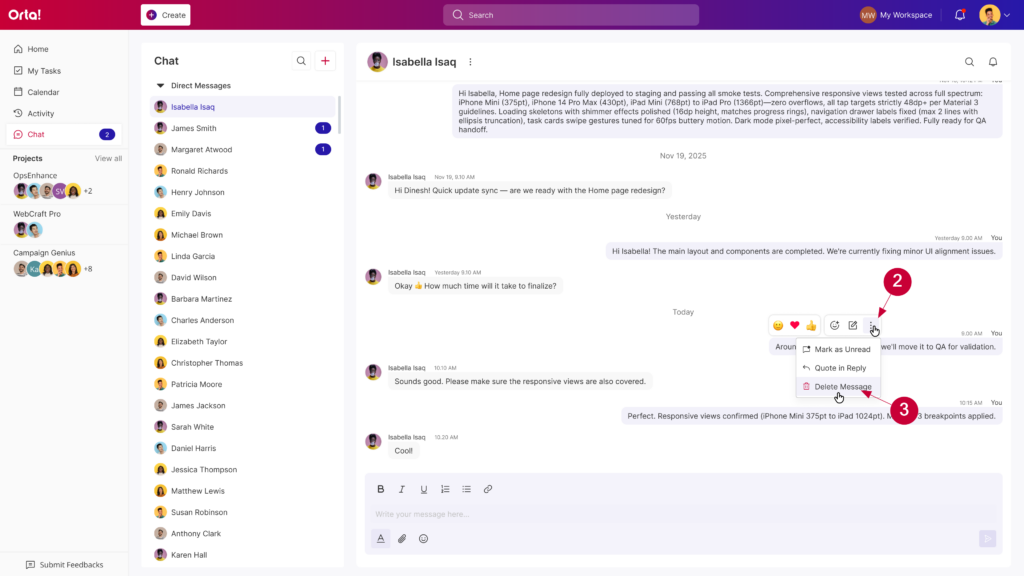
- Select Delete message.
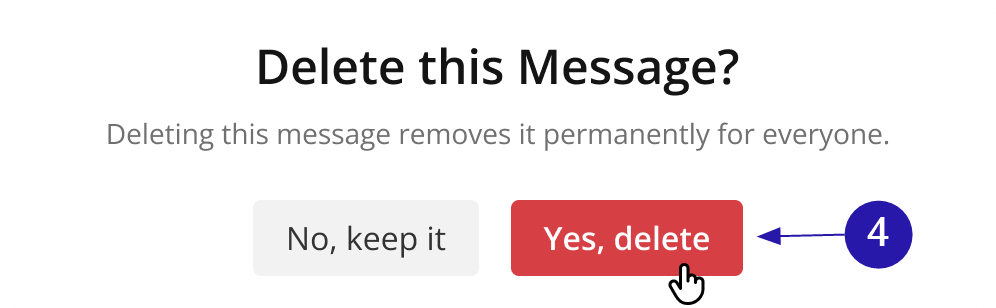
- Click Yes, delete to confirm the deletion.
The message will be removed from the conversation.
With editing and deletion options in Orta Chat, you can quickly correct mistakes, update information, or remove unnecessary messages – helping keep conversations clear, accurate, and easy for your team to follow.