

Direct Messages are used for quick, focused conversations between individuals in Orta. They let you reach someone directly without creating an entire channel.
Use DM when you need to:
- Ask a teammate a quick question
- Follow up on a task or update
- Clarify something shared in a channel
- Share something that doesn’t need a full team discussion
All your direct conversations appear under the Direct Messages section in the Chat sidebar, where you can quickly switch between people and pick up conversations right where you left off.
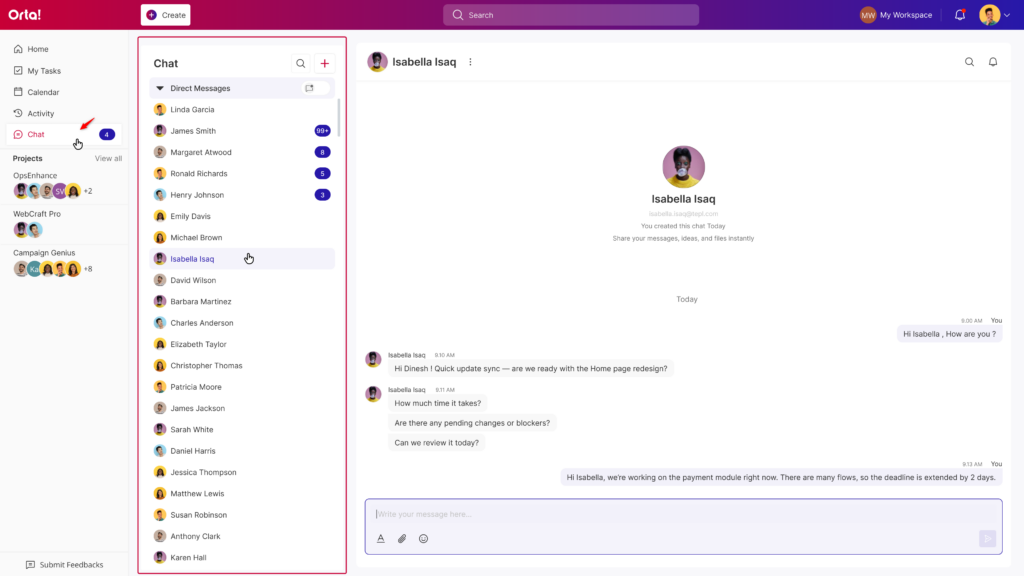
Inside a Direct Message, you can:
- Send, edit and delete messages
- React with emojis
- Mention users
- Quote messages when replying
- Attach files
- Mute notifications for the conversation
So yes, it’s basically everything you need for a quick chat, minus the noise of a full channel.
Now, let’s take a look at how to start and manage Direct Messages in Orta